
gng im gonna be away for awhile since school just started and i need to focus on it so message me if you wanna message me you can :) ill try to respond asap but again i wont be deliberately ignoring just need to really focus and get started


𝔰𝔩𝔶𝔪𝔢


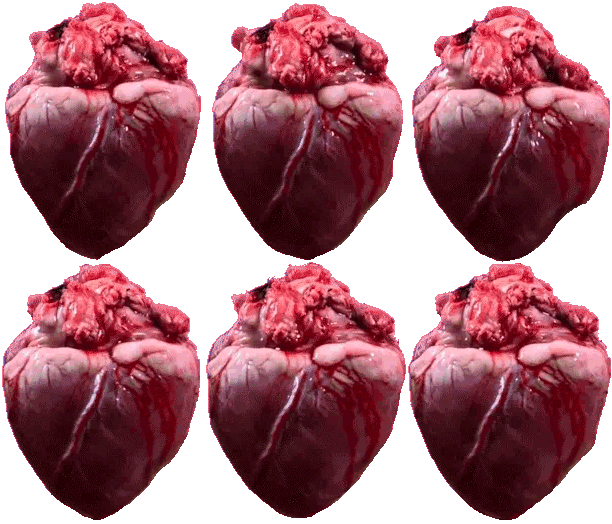

i genuinely don't know what this thing is
just some weird creature i made for a school project, but anywayyyysss
yeah ive drawn this guy before but i added some more stuff
also its lineless which is a new thing im still practicing :P


scary aaaaAAAAAAAAAAAAAAAAAAAAAAAAAAAAAAAAAAAAAAAAAAAAAAAAAAAAAAAAAAAAAAAAAAAAAAAAAAAAAAAAAAAAAAAAAAAAAAAAAAAAAAAAAAAAAAAAAAAAAAAAAAAAAAAAAAAAAAAAAAAAAAAAAAAAAAAAAAAAAAAAAAAAAAAAAAAAAAAAAAAAAAAAAAAAAAAAAAAAAAAAAAAA
ok i respectfully disagree with this...
for one almost everyone ik and draw with on here, and irl HATE ai, and i don't condone it one bit. i also don't think we should have to pay money to get rid of ai ads, because its corruptive and doesn't help the creative process, especially when its shoved into 1/4 of the screen. it just feels like something that gets in the way more than it actually helps, especially for artists who come to this platform to create their own work.
also i had an adblocker i didn't even know about until i got the screen, which i don't think is fair i have to pay for ANOTHER subscription just to get rid of more ads. i already didn't know it was there in the first place, so now having to pay again because of it just doesn't feel right. i don't think people should have to pay extra just to have the same experience they had before.
i get the site needs to make its money somehow, and i'm not against that at all. servers, employees, and keeping the platform running all cost money. but i don't think forcing ai onto artists or making people pay to remove it is the right way to do that. there are other ways to make money, like cosmetic profile features, themes, badges, optional supporter perks, or more customization that doesn't affect the actual drawing experience. i'd honestly be way more willing to support something like that than pay to remove features i never wanted in the first place.
does anyone get what i mean?? idk im just rambling for a bit
ty for your time :3

English, Japanese, Chinese, Spanish below
We understand that some of you are experiencing problems with the adblocker screen appearing when it shouldn’t. We are working on the problem, but in the meantime, here are some solutions to try:
1. Reduce your browser zoom to 80-90%. This solution has worked for most users on a computer or Chromebook.
2. Reduce your system display zoom/scaling. This should work for those on Android tablets too. You can find it by opening your System settings and searching ‘Display’
—
一部の方から、本来表示されるべきではない場面で広告ブロック画面が表示されてしまうという問題が報告されています。現在、この問題の解決に取り組んでおりますが、それまでの間、以下の対処法をお試しください:
1. ブラウザのズーム率を80~90%に下げてください。この方法は、パソコンやChromebookを使用しているほとんどのユーザーで効果がありました。
2. システムの表示ズーム率/スケーリングを下げてください。この方法は、Androidタブレットを使用している一部のユーザーにも有効です。設定を開き、「ディスプレイ」と検索すると、その設定が見つかります。
—
我们了解到,部分用户遇到了广告拦截器界面在不该出现时弹出的问题。我们正在解决此问题,在此期间,您可以尝试以下解决方案:
1. 将浏览器缩放比例调整为 80-90%。此方法对大多数使用电脑或 Chromebook 的用户都有效。
2. 降低系统显示缩放比例。此方法对 Android 平板电脑用户同样有效。您可打开“系统设置”,搜索“显示”来找到该选项。
—
Sabemos que algunos de vosotros estáis teniendo problemas porque aparece la pantalla del bloqueador de anuncios cuando no debería. Estamos trabajando para solucionar el problema, pero, mientras tanto, aquí tenéis algunas soluciones que podéis probar:
1. Reduce el zoom del navegador al 80-90 %. Esta solución ha funcionado para la mayoría de los usuarios que utilizan un ordenador o un Chromebook.
2. Reduce el zoom o el escalado de la pantalla del sistema. Esto también debería funcionar para algunos usuarios de tabletas Android. Para encontrarlo, abre los ajustes del sistema y busca «Pantalla».

Thanks for the feedback. However, we have no control over the ads that are shown. It's not Magma choosing to show you AI ads. We do of course report back to our ads provider if categories of ads are show that shouldn't be, like for alcohol or gambling for example, as we specifically do want those displayed.
With regards to other things Magma could offer, cosmetic upgrades for profiles, that is something we have considered. Hopefully it's something we can add in the future.
REPOST (I realized I forgot to turn my shadows layer on  and I wanted to change the watermark a little bit


OMG KOOKOO
(kinda looks like lemon demon ngl) but i love him so much <3

lemon demon mention 🥹
THANK YOUUU
munches on chimkin leg 🫶🫶

These questions were from @unknown_slimee ! 🫶
This is like the 6th or 7th time my leg got eaten, you better be greatful 🫵

finally its done... im so tired bro, but I LOVE THIS SO MUCH!!!!

she kinda looks like her hair is a booger /j
TYYY <3
Just remembered I downloaded pixel art and decided to lock in for once woo, I love legend of hei so omgggg

I tried making a banner, I don't like it so I'm gonna try and redo the whole thing tmrw.

lolll <333
consumes entire canvas
English, Japanese, Chinese, Spanish below
We understand that some of you are experiencing problems with the adblocker screen appearing when it shouldn’t. We are working on the problem, but in the meantime, here are some solutions to try:
1. Reduce your browser zoom to 80-90%. This solution has worked for most users on a computer or Chromebook.
2. Reduce your system display zoom/scaling. This should work for those on Android tablets too. You can find it by opening your System settings and searching ‘Display’
—
一部の方から、本来表示されるべきではない場面で広告ブロック画面が表示されてしまうという問題が報告されています。現在、この問題の解決に取り組んでおりますが、それまでの間、以下の対処法をお試しください:
1. ブラウザのズーム率を80~90%に下げてください。この方法は、パソコンやChromebookを使用しているほとんどのユーザーで効果がありました。
2. システムの表示ズーム率/スケーリングを下げてください。この方法は、Androidタブレットを使用している一部のユーザーにも有効です。設定を開き、「ディスプレイ」と検索すると、その設定が見つかります。
—
我们了解到,部分用户遇到了广告拦截器界面在不该出现时弹出的问题。我们正在解决此问题,在此期间,您可以尝试以下解决方案:
1. 将浏览器缩放比例调整为 80-90%。此方法对大多数使用电脑或 Chromebook 的用户都有效。
2. 降低系统显示缩放比例。此方法对 Android 平板电脑用户同样有效。您可打开“系统设置”,搜索“显示”来找到该选项。
—
Sabemos que algunos de vosotros estáis teniendo problemas porque aparece la pantalla del bloqueador de anuncios cuando no debería. Estamos trabajando para solucionar el problema, pero, mientras tanto, aquí tenéis algunas soluciones que podéis probar:
1. Reduce el zoom del navegador al 80-90 %. Esta solución ha funcionado para la mayoría de los usuarios que utilizan un ordenador o un Chromebook.
2. Reduce el zoom o el escalado de la pantalla del sistema. Esto también debería funcionar para algunos usuarios de tabletas Android. Para encontrarlo, abre los ajustes del sistema y busca «Pantalla».

Magma, Theres an ad that takes up half my screen, it’s a comcast ad so if if theres a way to remove it that’d be great :) (it’s only one ad that does that)

I don’t have adblocker or Mags to remove the ads but there is a lot of ads that I’m really uncomfortable with (ie: scams, AI ads, etc.)

hi magma hru
@spidrdance We do provide the option to remove ads for 250 Mags per month (around $2.50).
Magma is a business and there are costs involved in running it. Ads are one way to generate some revenue to ensure we can keep managing and improving the platform.
@Volcano theW.O.Fhybrid We do not control the ads that are shown, so unfortunately we cannot remove the AI ads that are shown

Magma, i dont have the adblocker on, but i keep getting AI adds, is there any way you can remove the AI adds? i get that you need money for the servers, but i hate AI

man why you gotta block the adblockers,,

Omg thank the loards of magma I will now create masterpieces givin this blessing

I saw so many issues with adblockers ngl

Magma your app isn't letting me finish a sketch of mine


bunny